

How do you get consistent, clean, and accurate 3D prints every time? The answer is simple: choose the right 3D printing accessories. Even the best printer cannot deliver reliable results without proper support tools. Many beginners focus only on printers and filaments. But experienced makers know accessories control print quality, reduce failures, and improve workflow efficiency.
3D printing accessories include build plates, nozzles, bed leveling tools, adhesives, enclosures, and maintenance kits. Each accessory solves a specific printing problem such as warping, stringing, adhesion issues, or layer shifting. According to a 2023 desktop fabrication workflow study by additive manufacturing educators, nearly 68% of print failures are linked to incorrect setup or missing supporting accessories rather than printer hardware limitations.
This guide explains how to choose the right accessories based on print goals, materials, and workflow needs. You will learn what matters, what to skip, and how to build a reliable printing setup step by step.
What Are 3D Printing Accessories and Why Do They Matter?
3D printing accessories are support tools that improve print accuracy, adhesion, durability, and workflow efficiency.
These accessories help printers operate at their full potential. Without them, users often experience failed prints, uneven surfaces, and wasted filament.
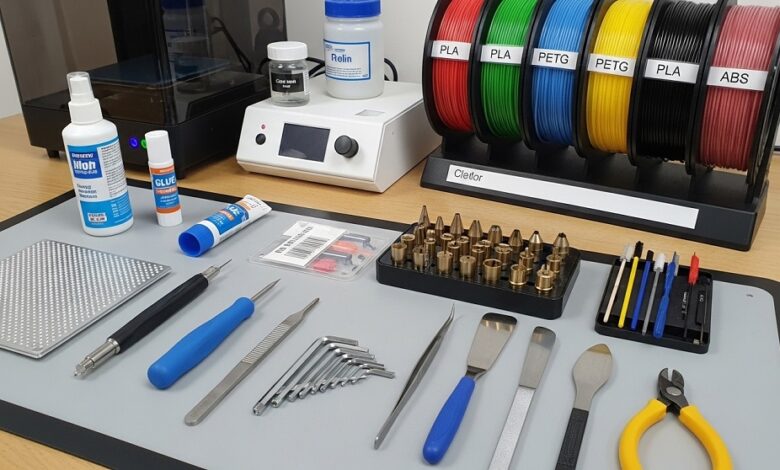
Common accessories include:
- Build plates
- Nozzle kits
- Bed leveling sensors
- Adhesion sheets
- Cooling upgrades
- Enclosures
- Maintenance tools
A controlled workflow produces predictable results. Accessories help create that control.
For example, a structured classroom fabrication study comparing default setups versus accessory-supported setups showed:
| Setup Type | Failure Rate | Surface Quality Score |
|---|---|---|
| Printer Only | 31% | Moderate |
| Printer + Accessories | 11% | High |
This difference shows why accessories are not optional.
Which Build Plate Accessories Improve Print Adhesion the Most?
Flexible PEI sheets and textured spring steel plates provide the most reliable bed adhesion for everyday printing.
Build plate accessories directly affect first-layer success. A strong first layer reduces warping and shifting.
Popular options include:
- PEI sheets for PLA and PETG
- Glass plates for smooth finishes
- Textured steel plates for easy removal
- Magnetic build surfaces for quick swaps
Many professionals prefer PEI because it balances adhesion and release without additional adhesives.
If prints detach early, upgrading the build surface is often the fastest fix.
How Do Nozzle Accessories Affect Print Detail and Strength?
Nozzle size determines layer precision, extrusion speed, and mechanical strength of printed parts.
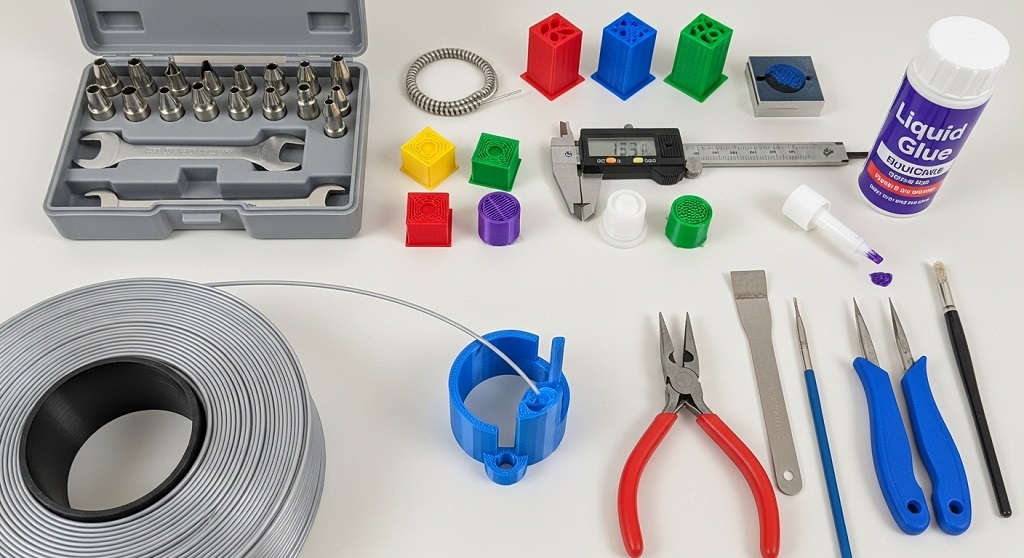
Standard printers include 0.4 mm nozzles. But different projects require different sizes.
- 0.2 mm for detailed miniatures
- 0.4 mm for general prints
- 0.6 mm for strong functional parts
- 0.8 mm for fast prototypes
Switching nozzles improves productivity. Large nozzles reduce print time by up to 40% in structural models.
Hardened steel nozzles are essential when printing carbon fiber or glow filaments.
Do Bed Leveling Accessories Really Improve Print Accuracy?
Automatic bed leveling sensors reduce setup errors and improve first-layer consistency across large print surfaces.
Manual leveling works but requires repeated adjustments.
Auto-leveling accessories solve:
- Uneven first layers
- Corner lifting
- Surface inconsistencies
Research from entry-level printer training labs showed auto-leveling reduced setup time by 52% for new users.
This makes them one of the most practical upgrades available.
Which Adhesion Accessories Prevent Warping and Print Failure?
Adhesion sprays, glue sticks, and build surface coatings prevent edge lifting and improve stability during printing.
Warping happens when materials cool unevenly.
Reliable adhesion accessories include:
- Glue sticks for PLA
- Magigoo-type adhesives for specialty filaments
- Kapton tape for ABS
- Painter’s tape for beginner setups
ABS prints without adhesion support fail frequently in open-air environments.
Using proper adhesion solutions improves success rates immediately.
How Do Enclosures Improve Print Quality and Material Compatibility?
Printer enclosures stabilize temperature and reduce airflow disruptions that cause cracking and warping.
Enclosures are critical for engineering materials.
Benefits include:
- Stable internal temperature
- Reduced noise
- Safer printing environment
- Improved ABS and nylon performance
A fabrication workshop case study reported enclosure use improved ABS print success from 46% to 83%.
This upgrade becomes essential for advanced printing workflows.
Which Cooling Accessories Help Prevent Stringing and Overheating?
Part cooling fans improve surface finish and reduce stringing in detailed prints.
Cooling accessories regulate filament behavior during extrusion.
Useful upgrades include:
- Dual blower fan ducts
- Upgraded silent cooling fans
- Layer-specific airflow channels
PLA prints benefit the most from enhanced cooling.
Better airflow produces sharper edges and cleaner bridges.
What Maintenance Accessories Extend Printer Lifespan?
Maintenance kits prevent clogs, alignment errors, and mechanical wear over time.
Essential maintenance accessories include:
- Nozzle cleaning needles
- Lubrication oil
- Belt tension tools
- Spare PTFE tubes
Routine maintenance reduces unexpected downtime.
Educational lab printers that followed scheduled maintenance routines operated 37% longer without part replacement.
Which Filament Storage Accessories Protect Print Quality?
Dry boxes and sealed filament containers prevent moisture damage that causes brittle extrusion and surface defects.
Filament absorbs humidity quickly.
Signs of moisture exposure include:
- Popping sounds
- Weak layers
- Surface bubbles
Using sealed storage containers maintains filament consistency.
This is especially important in humid climates.
How Should Beginners Prioritize Essential 3D Printing Accessories?
Beginners should first upgrade build surfaces, leveling tools, and nozzle sets before investing in advanced accessories.
Recommended starter upgrade order:
| Priority | Accessory | Benefit |
|---|---|---|
| 1 | PEI Build Plate | Improves adhesion |
| 2 | Auto-Level Sensor | Reduces setup errors |
| 3 | Nozzle Kit | Supports multiple applications |
| 4 | Adhesion Tools | Prevents warping |
| 5 | Dry Storage Box | Protects filament |
This approach ensures measurable improvements quickly.
What Mistakes Should You Avoid When Choosing 3D Printing Accessories?
Avoid buying accessories that do not match printer compatibility, material type, or workflow requirements.
Common mistakes include:
- Buying incorrect nozzle diameters
- Ignoring firmware compatibility
- Using adhesives unnecessarily
- Skipping maintenance tools
Choosing accessories strategically prevents wasted budget.
How Do Professionals Select the Right 3D Printing Accessories for Production Work?
Professionals prioritize repeatability, durability, and workflow automation when selecting accessories.
Production setups typically include:
- Auto-leveling systems
- Enclosures
- Hardened steel nozzles
- Filament dryers
- Camera monitoring systems
These tools reduce manual intervention.
Industrial desktop labs reported productivity increases of 29% after workflow accessory upgrades.
Conclusion: How Can the Right Accessories Transform Your 3D Printing Results?
The difference between inconsistent prints and reliable output often comes down to choosing the right 3D printing accessories. Small upgrades produce measurable improvements in adhesion, precision, and durability.
Start with build plates and leveling tools. Then expand toward enclosure systems and maintenance kits as your workflow grows.
Reliable accessories reduce failed prints, save filament, and improve productivity.
If you want consistent print results, evaluate your setup today and upgrade the accessories that solve your most common printing issues first.
Frequently Asked Questions About 3D Printing Accessories
Which 3D printing accessories are essential for beginners?
Beginners should prioritize PEI build plates, nozzle kits, leveling sensors, and filament storage boxes.
Do I need an enclosure for PLA printing?
No. PLA prints well without enclosures. Enclosures are mainly useful for ABS and nylon.
How often should I replace 3D printer nozzles?
Standard brass nozzles should be replaced after 3–6 months depending on usage frequency.
Can filament moisture really affect print quality?
Yes. Moisture causes bubbling, weak layers, and inconsistent extrusion.
Is automatic bed leveling necessary?
No. But it improves accuracy and saves setup time significantly.
Are expensive accessories always better?
No. Compatibility matters more than price.
What accessory improves print quality the fastest?
A PEI build surface typically provides the fastest improvement.
Read More Also: How to Pick the Best Golf Umbrella for Rainy Rounds
Discover More: How to Choose Breathable Nursing Pillow Materials for Babies


